
Build a branded invoice PDF in the browser
Fields, logo, live preview, then a PDF that matches what you see. No desktop install needed.
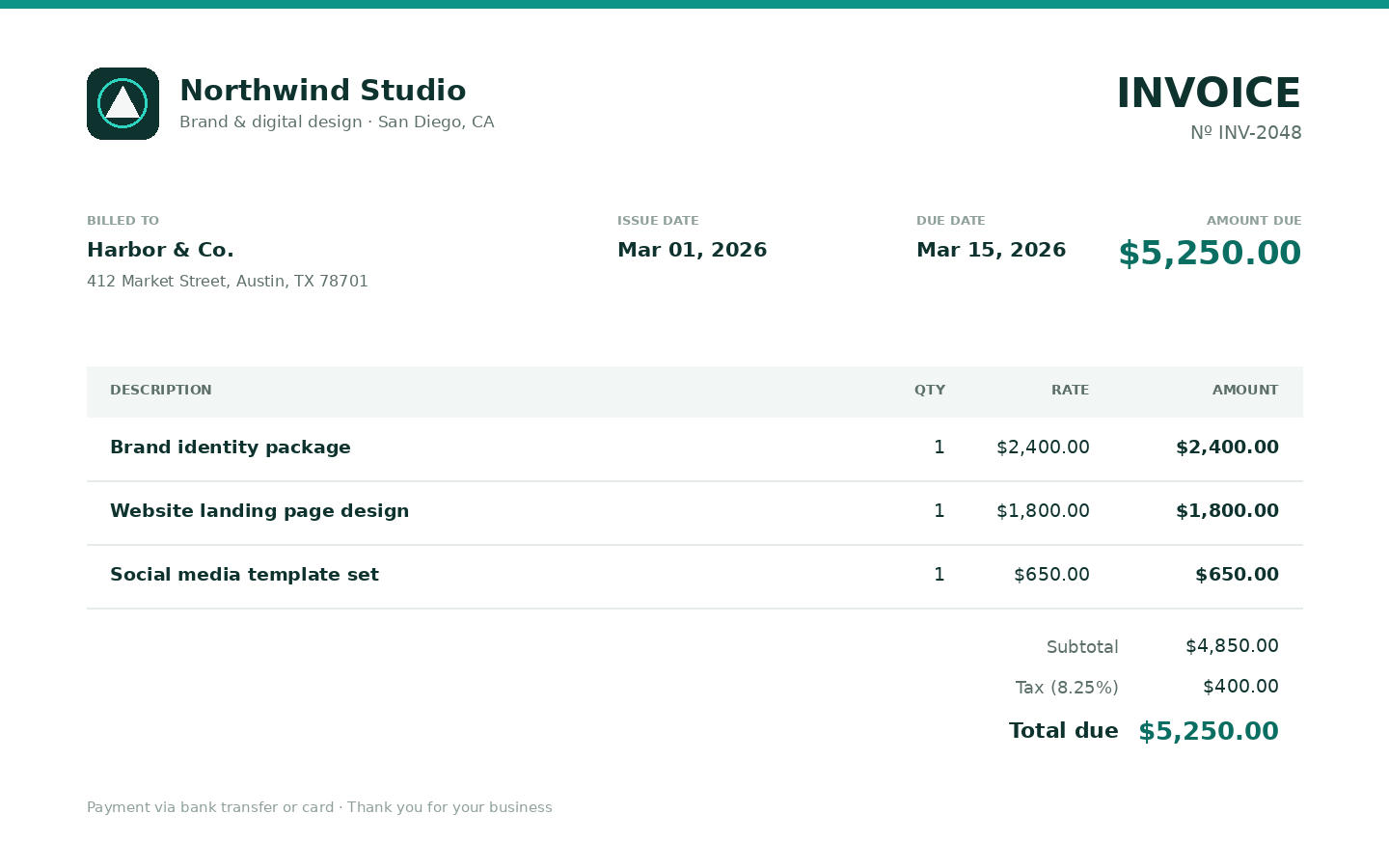
Most "online invoice" tools dump you into a form, hide the PDF behind a watermark, or want a monthly accounting suite. Invoice Studio is different: you fill fields, watch a live preview, and download a branded PDF when it looks right.
Product page: Online invoice generator with live preview.
What you can put on the page
- Business and client blocks
- Invoice number, issue date, due date
- Line items (qty, rate, amount)
- Tax, discount, shipping
- Payment notes
- Logo upload (PNG, JPG, or WEBP) or a styled text logo
- Font and color picks (studio fonts)
The preview is the PDF.
Steps
- Create an account.
- Open Invoice studio from My tools or from the product page.
- Click to start a new invoice (or resume one from History).
- Fill header and parties. Add line items. Upload a logo if you have one.
- View the preview. Autosave is free.
- Generate, then download the PDF. 1 credit on the first download of that job. Re-downloads are free for 7 days.
Credits (short)
Preview is free. See How shared credits work. Packs: Pricing.
Timesheets and estimates
If the work started as hours, build the timesheet first, then Send to Invoice Studio. That bridge does not spend a credit. The invoice PDF is its own job.
Quotes before the invoice: quote and estimate PDF.
What this is not
Not QuickBooks. Not legal or tax advice. You still send the PDF however you already send files. We keep the job for 7 days, then delete it (Privacy).
Related
Try it
Open invoice studio
Preview is free. 1 credit on first download. Claim 2 credits after you verify.
Open invoice studioFAQ
- Do I need to upload a CSV of line items?
- No. Invoice Studio is fields-based. Add rows in the browser. Timesheet Studio can send hours across if you started there.
- Can I save my branding?
- Yes. Save a template (view and load only). Templates are not a downloadable file.
- Is this a free invoice generator?
- Preview is free. After you verify your email you can claim 2 credits on My tools. The first PDF download of each invoice costs 1 credit.