Skip to content
automated.info

Forum Seeder · your board, your members

Seed your forum so it never looks empty

Warm-start a new forum you own, or keep a quiet community looking alive. Generate drafts you approve, or write them yourself in Thread Builder. Schedule posts like real members.

Sign up, verify your email, then start a free trial. Prove forum ownership before we post. See supported forum software.
automated.info/forum-seeder/app
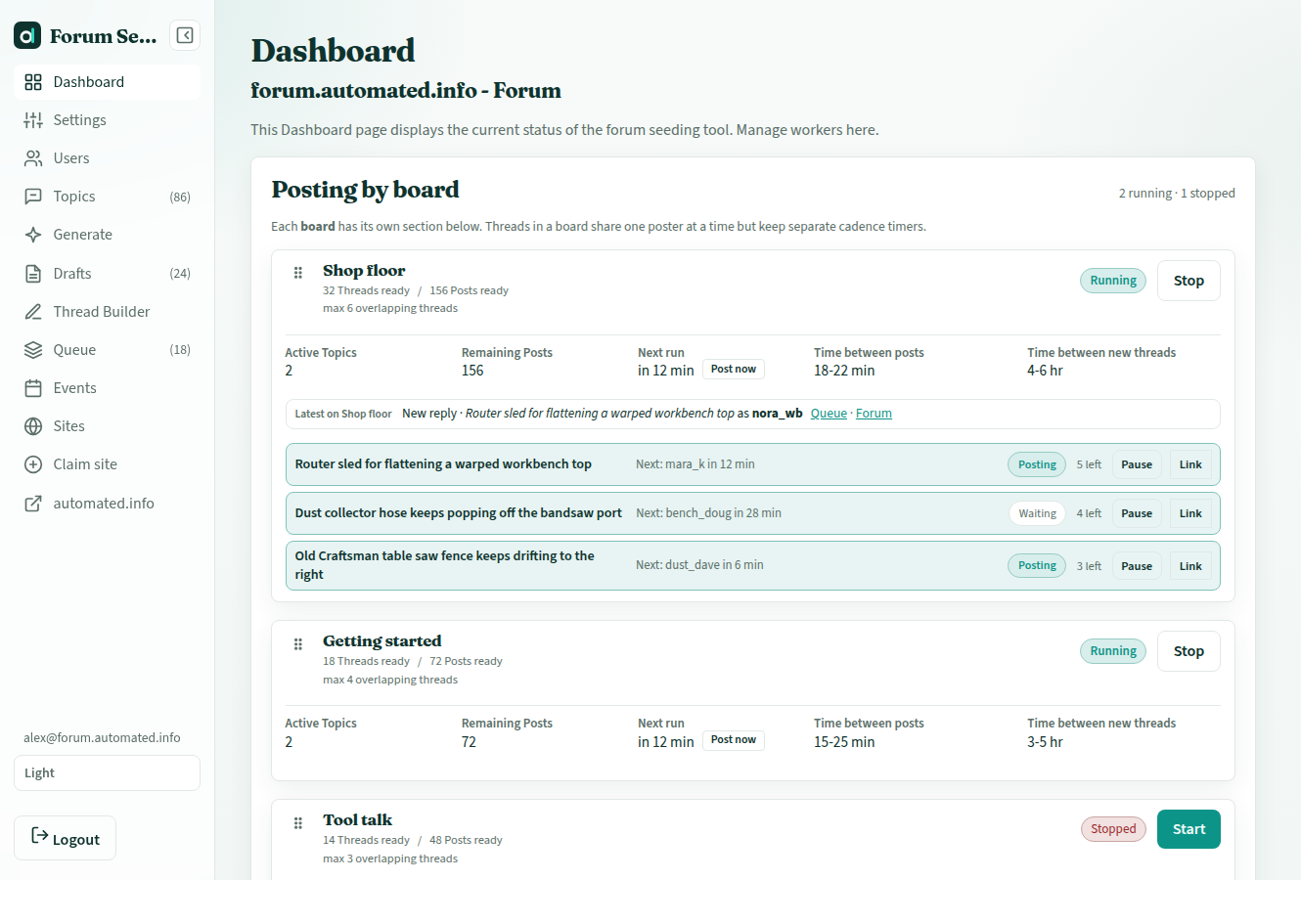
Forum Seeder dashboard with per-board cadence, Start posting, and a live activity log

Who it is for

Quiet boards, new launches, communities you already run

Forum Seeder is for people who already their own forum. Visitors bounce when the last post is months old. Hiring writers to invent realistic threads is slow and expensive. Generic social schedulers do not understand quotes, replies, or multi-user discussion.

Dead or quiet boards

Keep a niche community looking active between real members. Overlapping threads, delayed replies, daily opener caps so it does not look like a dump.

New forum launches

Warm-start a new forum before you invite the public. Empty categories make first visitors leave.

Your own community

A club, company, or hobby board you already operate. You own the forum, the member accounts, and every post that goes live.

Stay on your board

Your forum. Your members. Your schedule.

Prove ownership

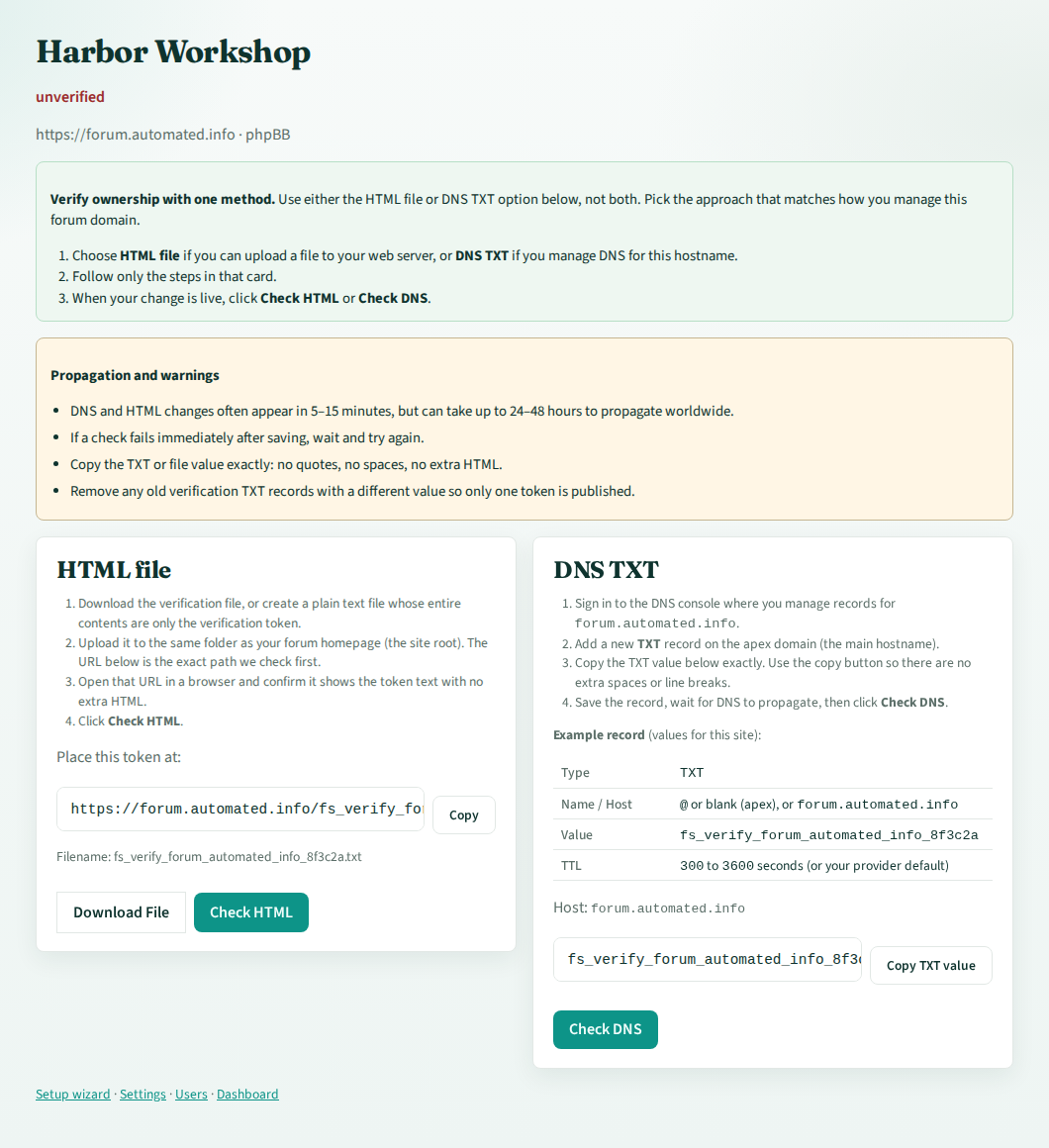
Connect only a forum you verify. DNS or a file upload. Workers stop if that check fails.

Members you control

The posters are accounts you already run on that board. You attest they are yours.

Approve before live

Auto Generate or write your own threads, then decide what enters the queue.

How it works

Five steps from empty board to scheduled threads

  1. 01

    Account

    Create an account and enjoy a free trial, then upgrade to a plan

  2. 02

    Forum ownership

    Claim your forum URL. Verify via DNS or file upload. No verified forum, no posting.

  3. 03

    Add your users

    Connect member accounts you already control. They are the posters.

  4. 04

    Write or generate

    Turn titles into multi-user drafts automatically, or compose them yourself in Thread Builder with quotes and images.

  5. 05

    Approve and post

    Edit, reject, or approve. Workers post on a human-like schedule.

Two ways to write

Generate drafts, or build the thread yourself

Use our cutting edge AI to generate your titles and threads, or generate and edit them yourself. Both paths land in the same queue. You stay in control. AI thread drafts count when generation finishes. Self-written posts count when they go live.

Generated drafts

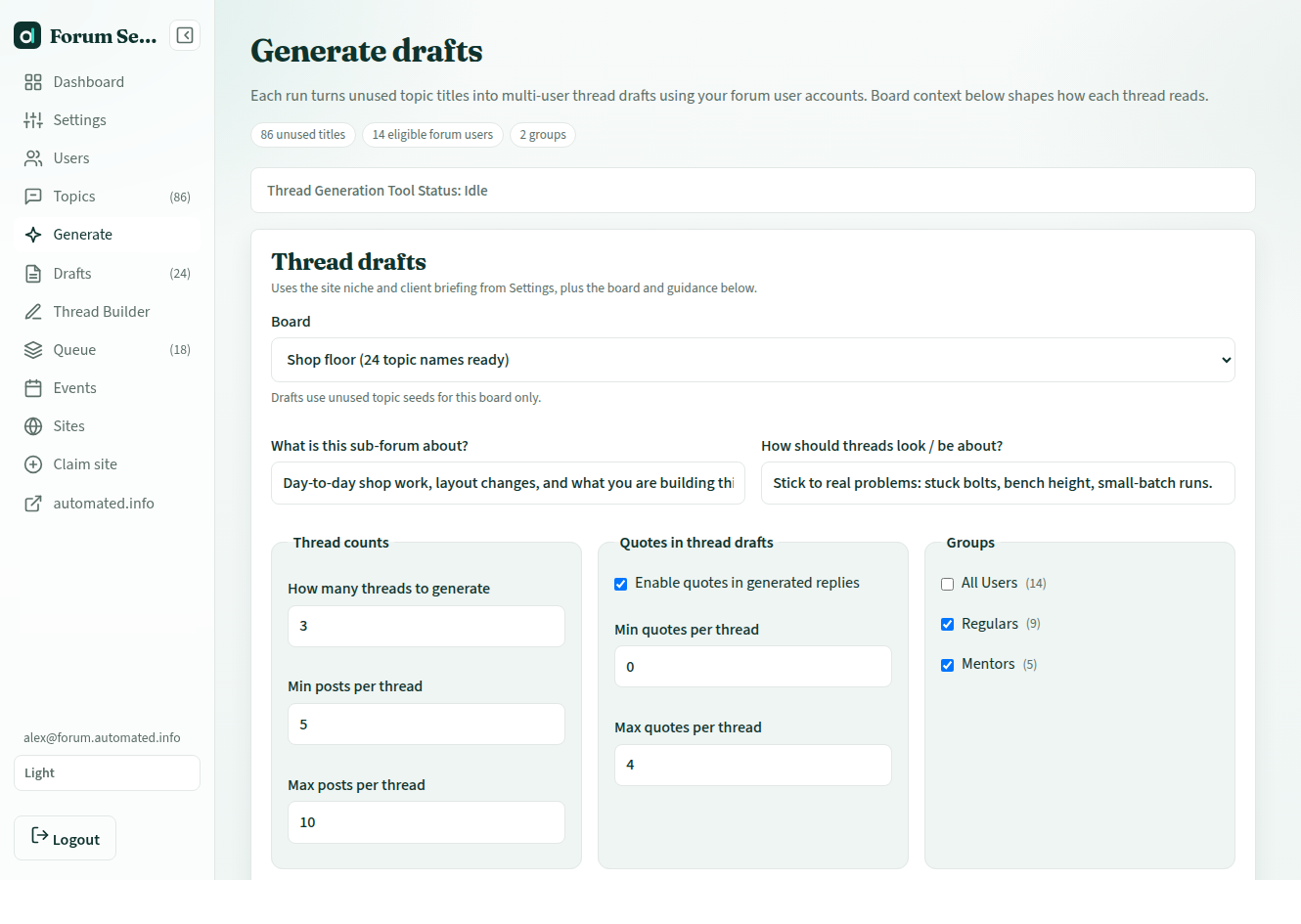
Unused titles become multi-user threads in your forum users’ voices. Set board context, post length, and quotes. Review every draft before it can go live.
Generate drafts
Generate drafts form with board guidance, post counts, and quote settings

Thread Builder

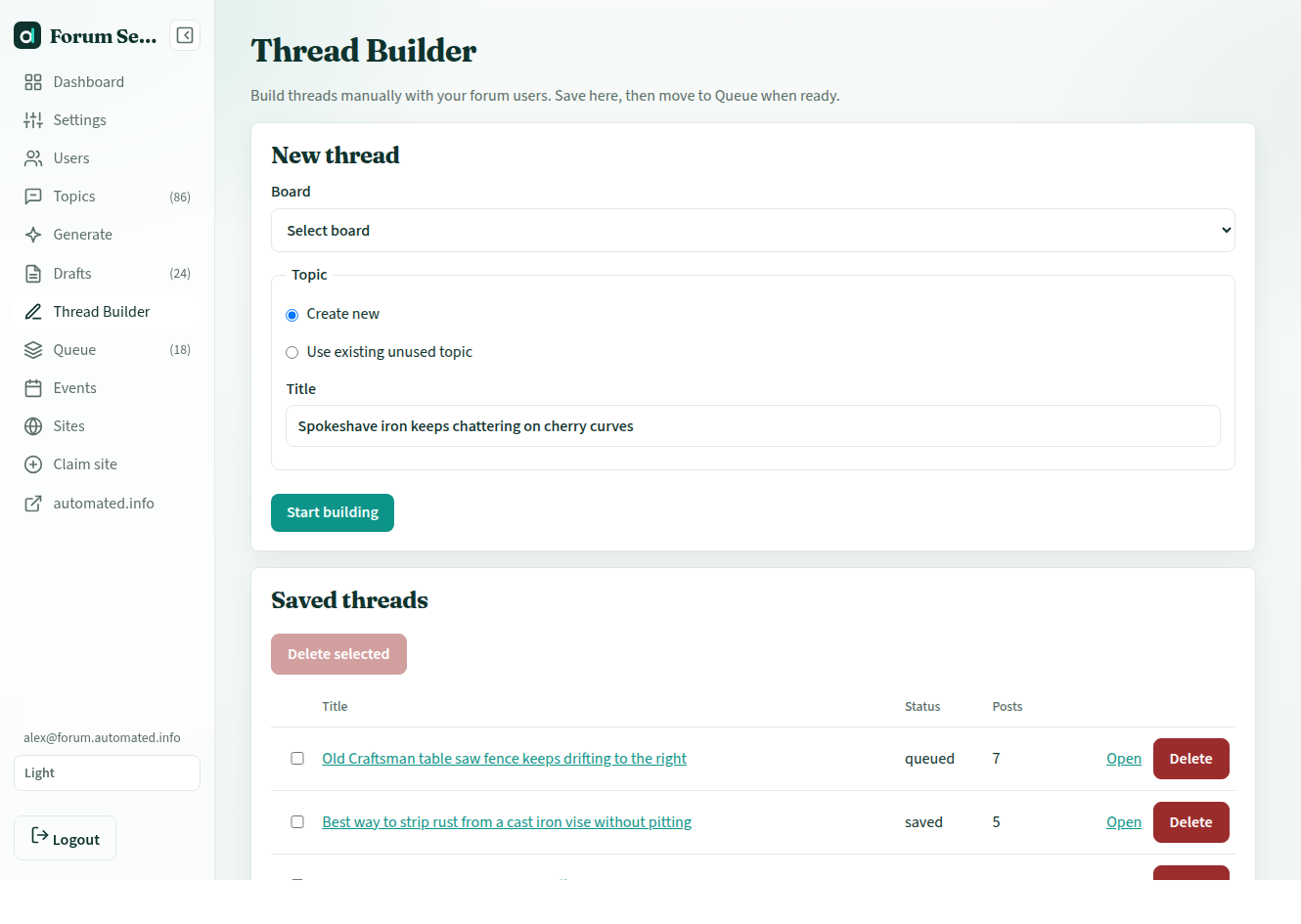
Use the AI generation in the Generation tool or simply write the conversation yourself. Pick a user per post, quote earlier replies, insert images. Create your very own threads and add them to the queue.
Thread Builder
Thread Builder: new thread form and saved threads list

Built for forum software

Works with the boards you already run

Composer-based boards post through the live forum UI, including image attachments. API posting is available on engines that support it.

What you get

Control first, then automation

Ownership gate

Verify via DNS or file upload. Workers stop if the check fails.

Human in the loop

Approve, edit, or reject every draft. Nothing auto-publishes.

Per-board cadence

Independent timers, overlapping thread caps, Post now option when you need it.

Native quotes

Replies can quote earlier posts in the forum’s own markup.

Inline images

Attach JPEG, PNG, or GIF when your board’s composer supports it.

Titles and groups

Unused titles feed generation. User groups help you pick who posts into those threads and boards.

Activity log

Posted, failed, paused, and verification events in one Events list.

Draft generation

Included. Generated threads count when a draft is created. Self-written posts count when they go live. Unused allowance from last month rolls into the next month on paid plans.

Your policy

You decide how to disclose helper or assisted accounts to your members.

Pricing

Start a trial, then pick a plan

Create an account and verify your email. Start a free trial from any plan below. Every plan starts the same 3-day trial: 5 generated threads, 50 self-written posts, and 10 titles. Those meters are independent. Then claim a forum you own and prove ownership before posting. After 3 days, upgrade to a plan of your choice. On paid plans, unused allowance from last month rolls into the next month.

Full pricing page

Starter

$29 /month

  • 3-day trial: 5 generated threads, 50 self-written posts, 10 titles
  • $29 / month for one verified forum
  • 40 generated AI threads / month (up to 2,000 AI posts, 50 max per thread)
  • 300 self-written posts / month (Thread Builder + extra replies)
  • 80 generated titles / month (pick the best; AI uses them top to bottom)
  • First paid month includes 1 extra day to finish setup
  • Unused paid allowance from last month rolls into the next month. Earlier months do not stack.
  • Generated drafts + Thread Builder
  • All supported forum software
  • Email support
Start free trial
POPULAR

Growth

$49 /month

  • 3-day trial: 5 generated threads, 50 self-written posts, 10 titles
  • $49 / month for up to 3 verified forums
  • 80 generated AI threads / month (up to 4,000 AI posts, 50 max per thread)
  • 600 self-written posts / month (Thread Builder + extra replies)
  • 160 generated titles / month (pick the best; AI uses them top to bottom)
  • First paid month includes 1 extra day to finish setup
  • Unused paid allowance from last month rolls into the next month. Earlier months do not stack.
  • Generated drafts + Thread Builder
  • All supported forum software
  • Email support
Start free trial

Pro

$79 /month

  • 3-day trial: 5 generated threads, 50 self-written posts, 10 titles
  • $79 / month for up to 6 verified forums
  • 160 generated AI threads / month (up to 8,000 AI posts, 50 max per thread)
  • 1,200 self-written posts / month (Thread Builder + extra replies)
  • 320 generated titles / month (pick the best; AI uses them top to bottom)
  • First paid month includes 1 extra day to finish setup
  • Unused paid allowance from last month rolls into the next month. Earlier months do not stack.
  • Generated drafts + Thread Builder
  • All supported forum software
  • Priority support
Start free trial

Questions before you subscribe? Contact us.

Forum Seeder FAQ

Is this spam software?
No. You must first prove you own the forum with DNS or a file upload before posting. We do not offer third-party community spam, Reddit bots, or posting to forums you do not control.
What happens after I create an account?
Verify your email. Then on this page, tap Start free trial on any plan. Every plan starts the same 3-day trial (5 generated threads, 50 self-written posts, 10 titles). Those allowances are independent. Claim a forum you own and prove ownership before posting. After 3 days, upgrade to a plan of your choice to continue.
What is the difference between Starter, Growth, and Pro?
The trial is the same on every card. Paid plans differ by price, how many forums you can verify, and monthly allowances for generated threads, self-written posts, and titles. Cadence works the same on every plan. Starter and Growth include email support. Pro includes priority support.
Do you limit forum users or boards?
No. Add as many forum users and boards as you need. The paid limits are generated threads, self-written posts, titles, and verified forums.
Do posts go live automatically?
No. Generated drafts wait for your approval. Thread Builder posts also go through the queue.
Who is responsible for the accounts?
You are. Use accounts you own or are authorized to operate. You decide how to disclose helper or assisted accounts to your members.
Which forum software is supported?
phpBB, MyBB, SMF, Discourse, XenForo, vBulletin, Flarum, and NodeBB. Browser-based posting may need a reconnect if a theme or Cloudflare challenge changes.
Can I write threads myself?
Yes. Thread Builder is on every plan. Compose posts, pick users, add quotes and images, then move the thread to the same queue as approved drafts.
How does posting cadence work?
Each board has its own timers: overlapping active threads, daily opener caps, and delays between posts. You have full control over these timers. You can also pause a board or use the "Post Now" function.
How does unused allowance roll over on paid plans?
At the start of each paid month, unused generated threads, self-written posts, and titles from the previous month are added to that month's allowance. So if you did not use everything last month, it rolls into this month. What you did not use two or more months ago does not keep stacking. Trial unused does not carry into a paid plan.
When does my allowance get used?
Generated threads count when AI finishes a draft you can view, even if you delete or reject it. Self-written Thread Builder posts (and extra replies you add onto an AI thread) count when they go live. Original AI posts in a generated thread do not use the post allowance. Generated titles count when the title list is created.
Can I start another trial with a new email?
No. One trial per email and one trial per signup network. One trial per forum domain as well (the registrable domain, such as example.com). Upgrade to a paid plan to keep using the product after the trial.
Can I use this on Reddit or someone else's forum?
No. The product only posts to a forum you verify. There is no Reddit, Facebook, or third-party community mode.

Ready to seed a forum you actually own?

Create an account, verify your email, start a free trial, then prove your forum ownership. We will not post to a site you cannot verify.