
Download YouTube transcripts as TXT, SRT, JSON, or CSV
Paste URLs or a video list. Use the paste-transcript fallback when captions are locked. First paid download is 1 credit.
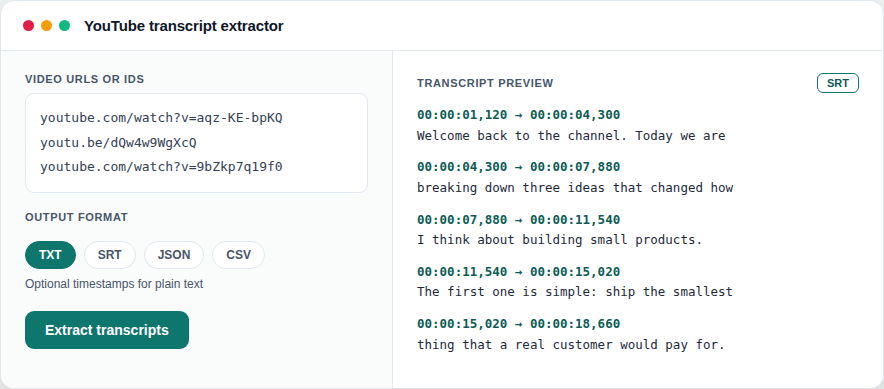
This is the one office tool that is not a live-preview studio. You paste video URLs (or a video_list.txt), pick formats, and download captions.
Product: YouTube transcript extractor.
Steps
- Open the tool from My tools (simple upload UI, not a studio canvas).
- Paste URLs or upload a list file.
- If captions cannot be fetched, use paste-transcript when shown.
- Run the job. Watch status on the job page (it reloads while queued or running).
- Download TXT, SRT, JSON, or CSV. 1 credit on the first paid download.
job_summary.jsonis free. Re-downloads free for 7 days.
Credits reminder: How shared credits work.
Try it
Open transcript tool
Preview is free. 1 credit on first download. Claim 2 credits after you verify.
Open transcript toolFAQ
- What if the video has no captions?
- Use paste-transcript fallback when the UI offers it. We cannot invent captions that do not exist.
- Is job_summary.json paid?
- No. The summary JSON is free. Paid transcript files cost 1 credit on first download of that job.